Why Your iPhone Battery Health May Drop Faster Than Expected
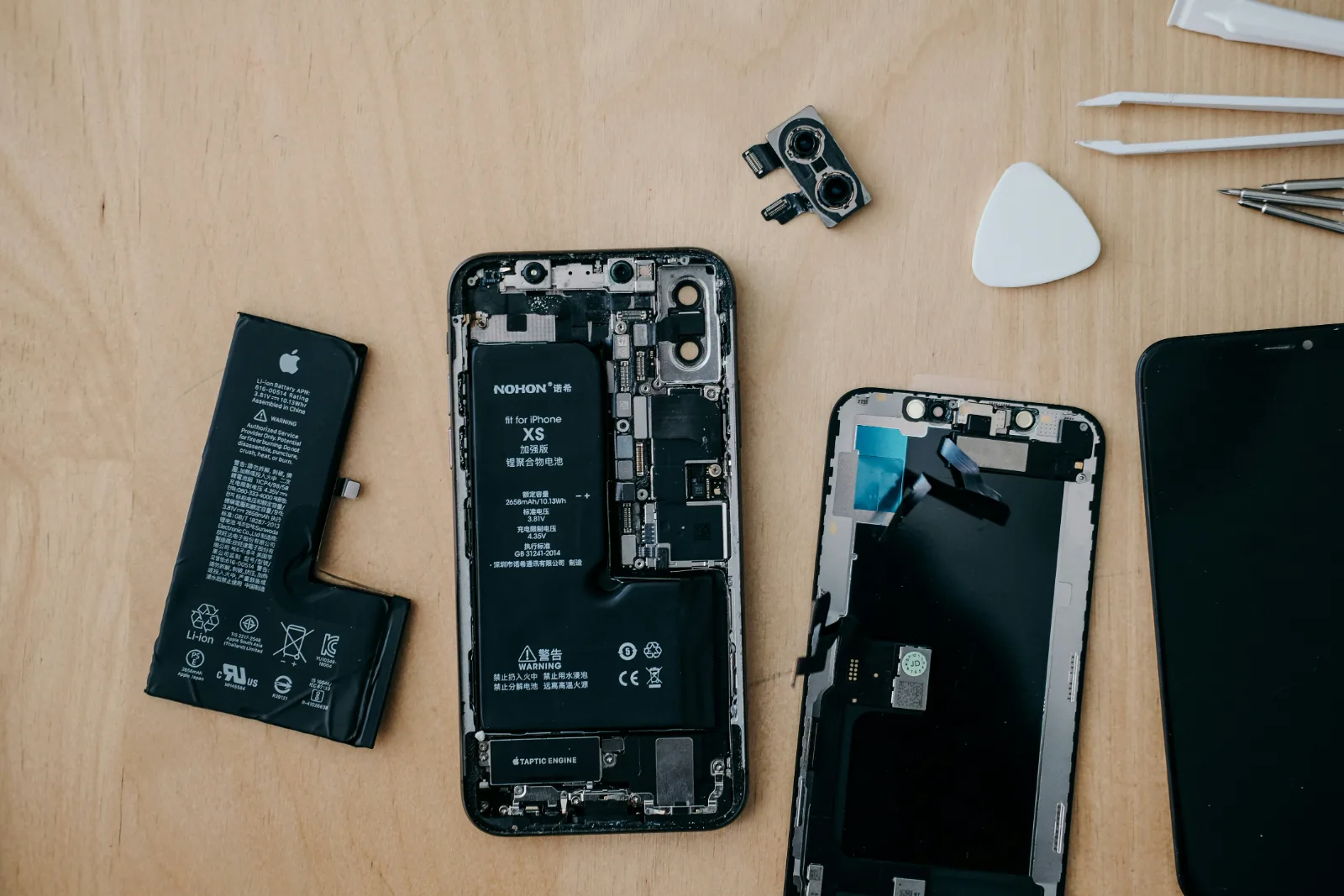
Your iPhone battery health can drop faster because of heat, charging habits, heavy usage, poor chargers, background activity, and environmental conditions. Here is what causes it and how to slow battery wear.
Your iPhone battery health is one of the first things many users check when they notice their device is not lasting as long as it used to.
You buy a new iPhone, enjoy excellent battery life for months, then one day you notice the Battery Health percentage has dropped from 100% to 95%, 90%, or even lower faster than expected.
The common question is:
“Am I doing something wrong?”
The answer is not always simple.
Your iPhone battery is a chemical component that naturally ages over time. However, certain habits, environmental conditions, and usage patterns can accelerate this process.
Here are the main reasons your iPhone battery health may be dropping faster than expected.
1. Heat: The Biggest Enemy of Your iPhone Battery
One of the biggest factors affecting battery lifespan is heat.
iPhone batteries use lithium-ion technology, and lithium-ion batteries do not handle excessive heat well.
When your iPhone gets hot, chemical reactions inside the battery happen faster than normal. Over time, this can reduce the battery’s ability to hold a full charge.
Common situations that create heat include:
- Using your iPhone while charging
- Playing demanding games for long periods
- Recording high-resolution videos for extended periods
- Leaving your iPhone in a hot car
- Charging under pillows or blankets
- Using low-quality chargers that produce unstable power
A warm phone during charging is normal. A consistently hot phone is a warning sign.
2. Charging Habits That Stress the Battery
Many people think charging their iPhone overnight automatically destroys the battery.
Modern iPhones are smarter than older devices. Features like Optimized Battery Charging help reduce unnecessary stress.
However, battery wear is still affected by how often your battery goes through full charge cycles.
A battery cycle happens when you use 100% of your battery capacity, not necessarily from one single charge.
For example:
- Using 50% today and charging back to 100%
- Using another 50% tomorrow
Together, that equals one cycle.
The more cycles your battery completes, the more it chemically ages.
3. Keeping Your Battery at 0% Too Often
Lithium-ion batteries perform best when they are not constantly pushed to extreme levels.
Regularly allowing your iPhone to completely die before charging can put additional stress on the battery.
Instead of waiting until your phone reaches 1%, charging around moderate levels can be healthier for long-term battery performance.
4. Heavy Performance Usage
Your iPhone is a powerful computer in your pocket.
Tasks like:
- Gaming
- Video editing
- GPS navigation
- 4K video recording
- AI-powered apps
- Long video calls
require more power from the battery.
Higher power demand creates more heat and increases battery workload.
This does not mean you should avoid using these features. It simply means heavy usage naturally contributes to faster battery aging.
5. Poor Quality Chargers and Cables
Not all chargers are created equally.
A damaged or poor-quality charger can deliver unstable power, causing:
- Excess heat
- Slower charging
- Battery stress
- Charging interruptions
Using certified charging accessories helps ensure your iPhone receives power safely.
6. Software and Background Activity
Sometimes the battery is not actually damaged — the phone is simply working harder.
After an iOS update, your iPhone may temporarily perform background tasks such as:
- Re-indexing files
- Optimizing photos
- Updating apps
- Syncing data
This can increase battery usage for a while.
Also, apps constantly running in the background can drain power and increase charging frequency, indirectly increasing battery cycles.
7. Your Environment Matters
Where you use your iPhone affects the battery.
Extreme temperatures can impact battery performance.
Apple recommends avoiding very hot or very cold conditions because temperature extremes can temporarily affect battery capacity and long-term health.
A phone used daily in a hot environment may show faster battery aging compared to one used in cooler conditions.
What Battery Health Percentage Is Normal?
Battery health naturally decreases.
A new iPhone starts near 100%, but the percentage will gradually reduce.
A drop over time does not automatically mean your battery is faulty.
However, if you notice:
- Battery health dropping unusually quickly
- Sudden shutdowns
- Battery swelling
- Unexpected overheating
- Very poor battery life
your battery may need professional inspection.
How to Extend Your iPhone Battery Lifespan
To help your battery last longer:
- Avoid excessive heat
- Use quality chargers
- Keep iOS updated
- Avoid unnecessary charging cycles
- Remove heavy background activity
- Do not regularly drain your battery completely
- Use Optimized Battery Charging
Final Thoughts
Your iPhone battery is designed to age. A decrease in battery health is a normal part of owning any smartphone.
The goal is not to prevent aging completely — it is to slow unnecessary wear.
Understanding how your battery works helps you get the best performance from your device and avoid replacing a battery earlier than necessary.
At Dreytech, we believe device care starts with understanding the technology behind it.
Need expert support?
Book a Dreytech diagnosis before a small issue becomes expensive.
Bring your iPhone, MacBook, iPad, Apple Watch, or AirPods in for a careful inspection and a clear repair recommendation.
Book Service